Open source MIT Android 11+

Grok Home. Your real bots on stage.

Grok Home turns an Android tablet into a little stage for the Grok Bots you already have. Tap one to chat, or just talk to it. I built it for my own tablet, and the code is free on GitHub.

Free · MIT license · Not made by xAI

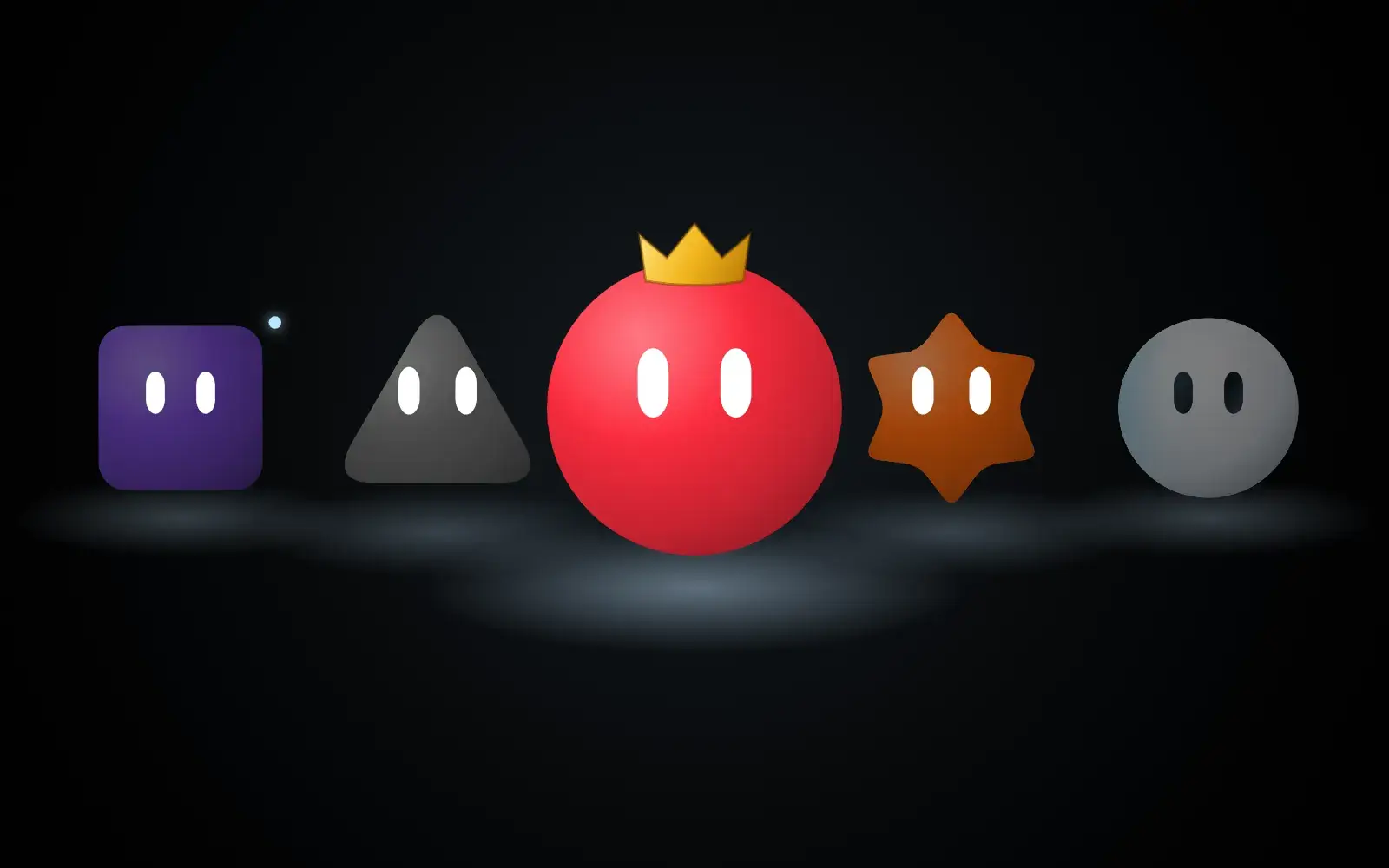
The stage, drawn live from the app's own shapes and colors.
Your own botsWorks with the Grok Bots already in your account.
Voice or textTalk to them, or type. Each bot has its own voice.
A private bridgeA small helper runs on your computer. Nothing is public.
No xAI API keyReplies come through your own signed-in account.
What it does

A home screen where your bots actually live.

01 · The stage

Swipe through your team.

Every bot gets its own shape, color and floor spotlight. Swipe to change bots, or pinch in to see five at once. The lineup just keeps wrapping around.

A little blue light means someone replied. A pulsing spotlight means they're still working on it.

Carousel
02 · Voice

Just talk to it.

Tap the mic and ask. Say Let me talk to Max and he comes forward and starts listening. No second tap.

Not sure who to ask? Say Who can help with my website? and Max picks someone from your team and sends it over.

Listening
03 · Chat

Pick up where you left off.

Every bot keeps its own chat, history and half-typed draft. You can also see what it's been up to, like when one bot hands something off to another.

Close it, walk away, come back. It's all still there.

04 · Ambient

Leave it running.

After 90 seconds with nothing going on, the buttons fade away and the whole team just hangs out on screen. You can still see who's working and who replied.

Tap it, or say Hey Max, and it wakes right back up.

Ambient mode
05 · Raise Your Hand Coming next

When a bot needs you, it raises its hand.

A bot that's waiting on you gets a little hand and a soft glow, so you can notice it from across the room. Tap it to see what it's asking.

For now you'll still approve things in the Grok Bot app.

Preview
Watch it run

Here it is running.

Max, a red sphere with a gold crown, on the Grok Home stage.

19 seconds. No sound.

How it works

Three pieces. Nothing fancy.

The tablet is just the screen. Your bots keep running where they already run, and a small bridge on your computer passes messages back and forth.

01

An Android tablet or phone

Android 11 or newer. You build the app and install it like any other app. It doesn't flash or replace anything.

02

A computer that stays on

It runs the bridge to the Grok Bots in your account. You type in the exact names of the bots you already have.

03

Tailscale, if you leave the house

At home your Wi-Fi is enough. Tailscale lets the tablet reach your computer privately when you're away.

Privacy and the local bridge

Your computer. Your account.

What stays private

  • The bridge runs on your own computer. It passes messages between your tablet and your Grok Bots through your own signed-in account. Nothing is opened to the internet.
  • Away from home, it goes through your own Tailscale network. The setup guide keeps it off public ports.
  • No passwords or keys ship in the app. You sign in on your own computer.
  • Updates come from your computer too. Android always asks before it installs anything.

The honest part

It reads bot activity through APIs that aren't documented, so an update somewhere else could break that part. Sending messages keeps working if it does.

Speech uses whatever Android speech service your tablet has. Some of those use the internet, so I can't promise it's fully offline.

It's a hobby project from one guy. It works on my tablet. Yours might need some tinkering.

FAQ

Questions people ask.

Is this an official xAI app?

No. It's an independent project. It isn't made by xAI, Cursor, Samsung or Google.

Can I just download an APK?

Not yet. Right now you build it from the code on GitHub, and you'll need JDK 17, the Android SDK, Node.js 22.13+, and Python 3.10+. The README walks you through it.

Does it work on a phone?

Yes, on Android 11 or newer. I built it for a Samsung tablet though, so that's where it looks best.

Do I need an xAI API key?

No. Replies come through your own signed-in account on your computer. Your normal account usage still applies.

Will it make new bots in my account?

Not if you use the exact names of bots you already have. A typo can create an empty bot, so double check the names first.

Can I approve things from the tablet?

Not yet. Approvals, files and anything else the tablet doesn't show stay in the Grok Bot app.

What does it cost?

Nothing. It's free and MIT licensed.

Open source · MIT

Want your bots on stage too?

The code is on GitHub. If you build it, I'd really like to see what your team looks like.

Get the code on GitHub